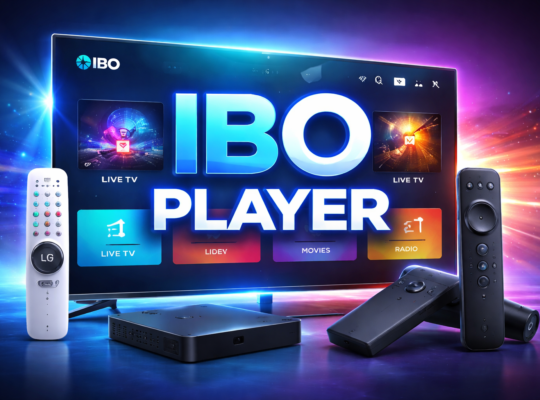

The 4ktv box has revolutionized home entertainment, offering viewers access to ultra-high-definition content from the comfort of their living rooms. As streaming services continue to expand their 4K offerings, having a reliable 4ktv box is essential for anyone seeking the best picture quality and seamless streaming experience.
Whether you are a movie enthusiast, a sports fan, or simply want to upgrade your TV setup, understanding what a 4ktv box is and how it works will help you make an informed decision. In this guide, we explore the key features, setup process, compatibility, and top models to consider for your next upgrade.
What Is a 4ktv Box?
A 4ktv box is a compact streaming device designed to deliver 4K ultra-high-definition (UHD) content to your television. These boxes connect to your TV via HDMI and provide access to a wide range of streaming platforms, apps, and even games, transforming any compatible TV into a smart entertainment hub.
Key Functions and Benefits
4ktv boxes offer features such as fast processing, smooth upscaling of non-4K content, voice control, and compatibility with various streaming services like Netflix, Amazon Prime Video, and YouTube. They often support advanced audio formats and smart home integration, making them versatile additions to modern living rooms.
How a 4ktv Box Differs from Other Streaming Devices
Unlike standard HD streaming devices, a 4ktv box is specifically engineered to handle the higher bandwidth and processing demands of 4K content. This means sharper images, richer colors, and better overall performance when viewing UHD media.
Key Features to Consider When Choosing a 4ktv Box
Not all 4ktv boxes are created equal. Understanding the essential features can help you select the right device for your needs and ensure compatibility with your home setup.
Resolution and HDR Support
Ensure the box supports true 4K resolution (3840 x 2160 pixels) and popular HDR formats like HDR10 or Dolby Vision. HDR enhances contrast and color accuracy, providing a more immersive viewing experience.
Processor and RAM
A powerful processor and sufficient RAM ensure smooth navigation, quick app launches, and minimal buffering. Look for devices with quad-core or higher CPUs and at least 2GB of RAM for optimal performance.
Operating System and App Ecosystem
Some 4ktv boxes run on Android TV, while others use proprietary systems. Check the availability of your favorite apps and streaming services, as well as support for regular software updates.
How to Set Up and Connect Your 4ktv Box
Setting up a 4ktv box is generally straightforward, but following the correct steps ensures optimal performance and compatibility with your TV and home network.
Initial Setup and Connections
Start by connecting the 4ktv box to your television using a high-speed HDMI cable. Plug in the power adapter and switch on both the TV and the box. Most devices will guide you through an on-screen setup process, including Wi-Fi configuration and account sign-in.
Optimizing Picture and Sound Settings
After setup, adjust the display settings to match your TV’s capabilities. Enable 4K resolution and HDR if supported. For the best audio experience, connect the box to a soundbar or AV receiver that supports advanced audio formats like Dolby Atmos.
Compatibility: TVs, Streaming Services, and Accessories
Before purchasing a 4ktv box, verify its compatibility with your television, preferred streaming services, and any additional accessories you plan to use.
TV Compatibility and HDMI Standards
Ensure your TV has an available HDMI port that supports HDCP 2.2 or higher for 4K content. Some older TVs may require firmware updates or additional adapters.
Supported Streaming Services
Check that the 4ktv box offers access to major streaming platforms such as Netflix, Disney+, Hulu, and Amazon Prime Video in 4K. Some boxes may have regional restrictions or limited app availability.
Remote Controls and Voice Assistants
Many 4ktv boxes include advanced remotes with voice search capabilities and support for virtual assistants like Google Assistant or Alexa, allowing for hands-free operation and smart home integration.
Top 4ktv Box Models to Consider
The market offers a variety of 4ktv boxes, each with unique features and price points. Here are some leading options to help you find the right fit for your needs.
Popular 4ktv Box Brands and Models
- Amazon Fire TV Cube: Known for its fast performance, Alexa integration, and wide app support.
- NVIDIA Shield TV: Offers advanced gaming features, AI upscaling, and robust Android TV support.
- Apple TV 4K: Seamless integration with the Apple ecosystem and high-quality video playback.
- Xiaomi Mi Box S: Budget-friendly option with essential 4K streaming capabilities and Google Assistant.
How to Choose the Right Model for You
Consider your budget, preferred operating system, specific features like gaming or voice control, and compatibility with your existing devices. Reading user reviews and expert recommendations can also help narrow down your options.
Troubleshooting Common Issues with 4ktv Boxes
Even the best 4ktv box can encounter occasional issues. Understanding how to troubleshoot common problems ensures a smooth streaming experience.
Buffering and Streaming Quality
Buffering is often caused by slow internet connections or network congestion. Try moving your router closer, using a wired Ethernet connection, or upgrading your internet plan for better results.
App Crashes and Software Updates
If apps crash or freeze, check for software updates on your 4ktv box. Clearing app caches or reinstalling problematic apps can also resolve many issues.
Foire aux questions
What is a 4ktv box and how does it work?
A 4ktv box is a streaming device that connects to your TV and delivers 4K UHD content from various apps and platforms via HDMI.
Do I need a special TV for a 4ktv box?
You need a TV with a 4K-capable HDMI port (HDCP 2.2 or higher) to enjoy true 4K resolution from a 4ktv box.
Can I use a 4ktv box with older TVs?
Yes, but you will be limited to the maximum resolution your TV supports. 4K content will be downscaled on non-4K TVs.
Which streaming services support 4K on a 4ktv box?
Major services like Netflix, Amazon Prime Video, Disney+, and YouTube offer 4K streaming on compatible 4ktv boxes.
How do I improve streaming quality on my 4ktv box?
Use a high-speed internet connection, connect via Ethernet if possible, and minimize other devices using the same network.
Are 4ktv boxes compatible with smart home devices?
Many 4ktv boxes support voice assistants and can integrate with smart home devices for added convenience.
Conclusion
A 4ktv box is an excellent way to unlock the full potential of your 4K television, providing access to a vast world of ultra-high-definition content and smart features. By understanding the key aspects discussed in this guide, you can confidently choose and set up the right 4ktv box for your needs. Ready to elevate your streaming experience? Explore the top models and enjoy your favorite shows and movies in stunning 4K quality.