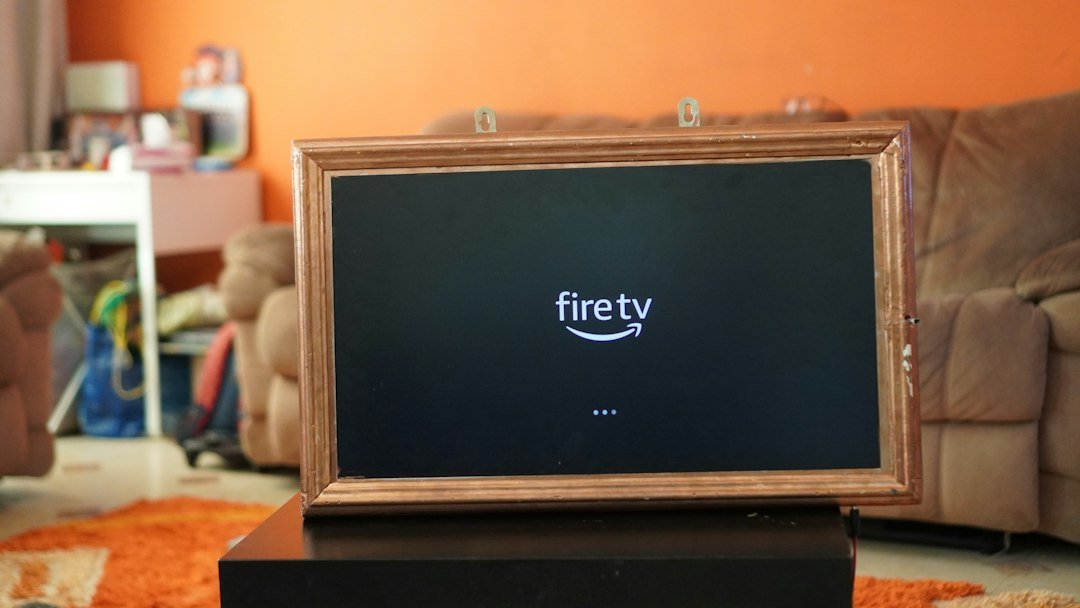
Updated for 2026. The Amazon Fire TV Stick 4K remains one of the easiest ways to add modern streaming features to a television with an HDMI port. It is compact, simple to set up and designed for 4K streaming, major entertainment apps and Alexa voice control.
This guide explains what the Fire TV Stick 4K does, its main strengths and limitations, how it compares with a full Android TV box, and who should consider buying one.
What is the Amazon Fire TV Stick 4K?
The Fire TV Stick 4K is a small streaming device that plugs directly into your TV’s HDMI port. Once connected to Wi-Fi, it gives you access to streaming services, free and paid apps, live TV apps where available, music services and other entertainment tools through Amazon’s Fire TV platform.
If you are new to streaming hardware, our What Is a TV Box? guide explains how dedicated streaming devices differ from built-in Smart TV systems.
Fire TV Stick 4K specifications that matter in 2026
Amazon lists the second-generation Fire TV Stick 4K with 4K video support, Dolby Vision, HDR10, HDR10+ and HLG. It also supports Dolby Atmos on compatible content and audio equipment. Connectivity includes Wi-Fi 6, Bluetooth 5.2 + BLE, 2 GB of memory and 8 GB of internal storage.
- Video: up to 4K Ultra HD
- HDR: Dolby Vision, HDR10, HDR10+ and HLG
- Wireless: Wi-Fi 6
- Memory: 2 GB RAM
- Storage: 8 GB
- Voice control: Alexa through the included remote
- Audio: support for Dolby Atmos on compatible setups
For most people, these specifications are sufficient for mainstream streaming. The biggest limitation is storage: 8 GB is fine for a normal selection of apps, but users who install many apps and games can run out of space.
Streaming performance
For Netflix, Prime Video, Disney+, YouTube and similar mainstream services, the Fire TV Stick 4K is designed around quick access to 4K content rather than heavy local computing. Navigation is generally responsive, and Wi-Fi 6 can help on a compatible router when your home network is busy.
Your actual 4K quality still depends on three things: the streaming service plan, the quality of your internet connection and whether your television supports the relevant HDR format.
Picture and sound quality
The strongest reason to choose the Fire TV Stick 4K over a cheaper 1080p streamer is support for modern 4K HDR formats. Dolby Vision and HDR10+ can improve contrast and color on compatible televisions, while Dolby Atmos can provide more immersive audio when the streaming service and sound system support it.
Buying a 4K stick does not automatically improve every video. Older or lower-resolution content will still be limited by its source quality.
Apps and everyday use
The Fire TV interface is built around streaming apps and Amazon’s content ecosystem. You can install compatible apps from the Amazon Appstore, use Alexa to search for shows and control playback, and pair Bluetooth headphones or speakers.
One advantage is simplicity. You do not need to manage a desktop-style operating system or configure a complex TV box. Plug it in, connect it to Wi-Fi, sign in and install the apps you use.
Fire TV Stick 4K vs Android TV box
The Fire TV Stick 4K is better suited to people who want a small, polished streaming device with a simple remote and minimal setup. A full Android TV or Google TV box can be more flexible, especially if you need more ports, more storage, Ethernet, local media features or broader hardware choices.
If you are comparing alternatives, see our Best Android TV Boxes in 2026 guide. You can also compare the two formats directly in our Android TV Box vs Fire TV Stick guide.
Choose the Fire TV Stick 4K if:
- You mainly watch mainstream streaming services.
- You want 4K HDR support in a very small device.
- You prefer a simple remote-based interface.
- You already use Alexa or Amazon services.
- You do not need lots of ports or internal storage.
Consider an Android TV box instead if:
- You want Ethernet built in.
- You need USB ports for storage or accessories.
- You want more internal storage.
- You prefer Google TV or Android TV.
- You use a lot of local media files and accessories.
Is the Fire TV Stick 4K good for live TV and streaming apps?
Yes, provided the service you want to use offers a compatible Fire TV app in your country. Availability varies by service and region, so it is better to check the official app listing before buying a device for one specific platform.
Box4TV focuses on legal streaming technology, apps and hardware. A streaming device itself does not include television channels or paid subscriptions unless a service specifically bundles them.
Setup tips for better performance
- Use the supplied power adapter. Powering the stick from a TV USB port can sometimes cause instability if the port does not supply enough power.
- Use a strong Wi-Fi connection. 4K streaming benefits from a stable network more than from raw headline speed.
- Keep free storage available. Remove apps you no longer use if performance becomes sluggish.
- Enable the correct TV HDMI settings. Some televisions require an enhanced HDMI mode for HDR.
- Keep Fire TV software updated. Updates can improve compatibility and security.
Fire TV Stick 4K limitations
The Fire TV Stick 4K is not a replacement for a high-end media player or a full-featured TV box. It has limited storage, no built-in Ethernet port and fewer expansion options than larger devices. Its interface also gives significant visibility to Amazon content and recommendations, which some users may prefer and others may not.
Is the Fire TV Stick 4K worth it in 2026?
For viewers who want an uncomplicated 4K streaming upgrade, it remains a practical option. Its combination of 4K HDR support, Wi-Fi 6, Alexa and a mature app ecosystem covers the needs of most living-room streaming setups.
Users who want more storage, more ports, wired networking or greater hardware flexibility should compare it with a dedicated Android TV or Google TV box before buying.
Frequently asked questions
Does Fire TV Stick 4K work on any TV?
It requires a compatible HDMI input. You can use it on a 1080p television, but you need a 4K TV to display 4K resolution.
Do I need an Amazon Prime subscription?
No. An Amazon account is required for the Fire TV platform, but Prime membership is not required to use the device with other compatible apps and services.
Does the Fire TV Stick 4K include Netflix or other subscriptions?
No. Streaming subscriptions are separate unless a specific promotion states otherwise.
Is 8 GB of storage enough?
It is enough for a typical set of streaming apps, but users who install many applications or games may find it restrictive.
Bottom line
The Amazon Fire TV Stick 4K is best understood as a focused streaming device: compact, easy to use and strong for mainstream 4K entertainment. It is less expandable than a full TV box, but that simplicity is exactly why it remains attractive for many households.

3 comments
Share your experience, ask a question or add a useful tip for other Box4TV readers.