

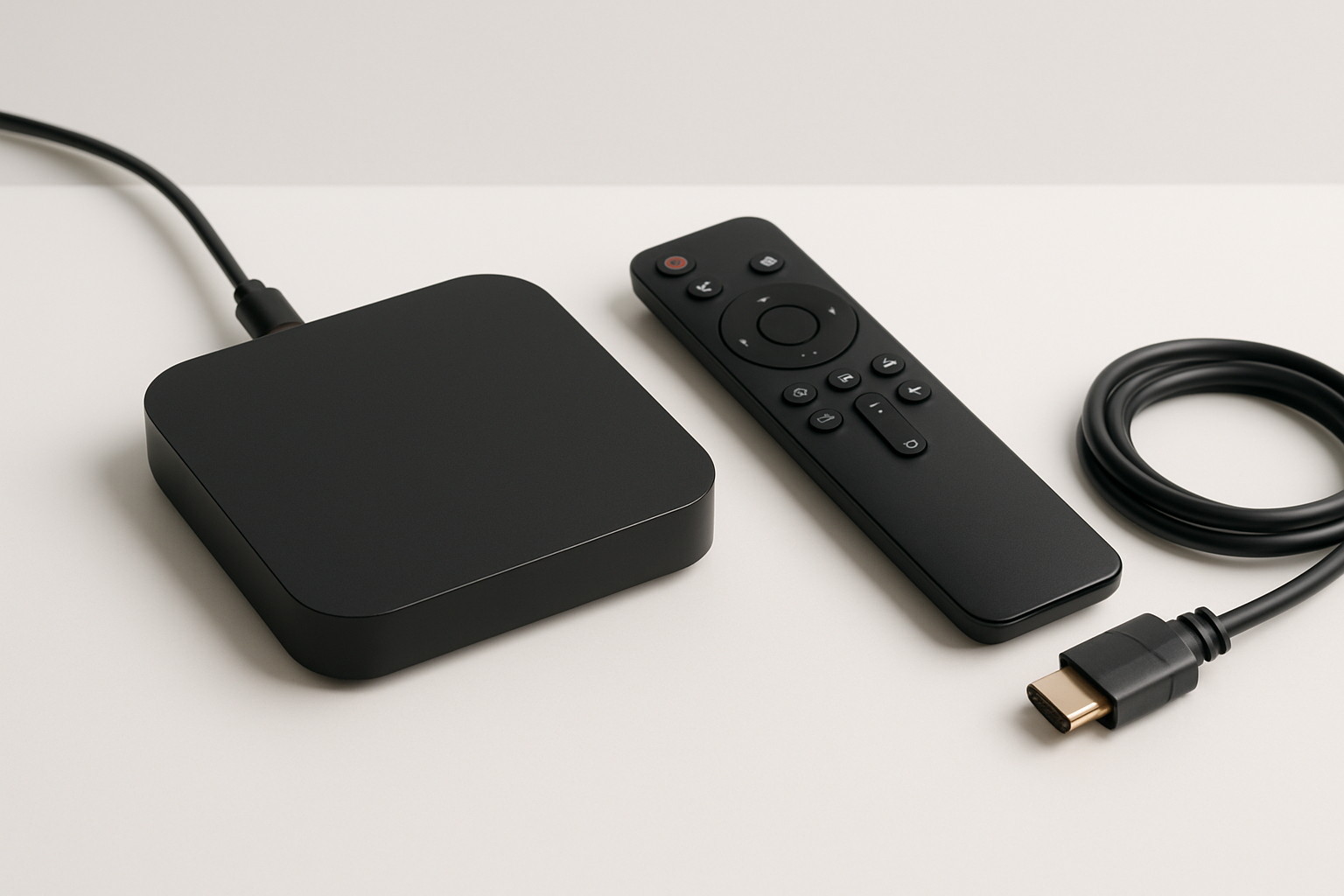
What are TV box? If you’ve ever wondered how to transform your regular television into a smart entertainment hub, TV boxes might be the answer. These compact streaming devices have become increasingly popular as more people seek flexible ways to access digital content without upgrading their entire TV set.
TV boxes provide a simple solution for streaming movies, TV shows, and even playing games directly on your television. In this article, we’ll explore what TV boxes are, how they function, their main features, and how to select the best model for your needs.
Understanding TV Boxes: An Overview
TV boxes, often called streaming boxes or media players, are external devices designed to expand your television’s capabilities. By connecting to your TV via HDMI, these devices provide access to a wide range of digital content, including streaming platforms, apps, and games.
Definition and Purpose
A TV box is essentially a mini-computer that runs a specific operating system, such as Android TV or proprietary software. Its main purpose is to enable smart features on standard TVs, allowing users to stream content from services like Netflix, YouTube, and more.
How TV Boxes Differ from Smart TVs
While smart TVs have built-in streaming capabilities, TV boxes offer a cost-effective alternative for those with older televisions. They often provide more customization, frequent updates, and a broader app selection compared to many built-in smart TV platforms.
How Do TV Boxes Work?
TV boxes operate by connecting to your television and the internet, acting as a bridge between your TV and online content. Most TV boxes use Wi-Fi or Ethernet to access the internet and feature user-friendly interfaces for easy navigation.
Connection and Setup
Setting up a TV box usually involves plugging it into your TV’s HDMI port, powering the device, and connecting it to your home network. Once set up, you can install apps, sign into streaming services, and begin watching content almost immediately.
User Interface and Navigation
Most TV boxes feature intuitive menus and remote controls, making it easy to browse apps and content. Some models support voice commands or even smartphone control for added convenience.
Key Features of TV Boxes
Modern TV boxes come with a variety of features designed to enhance your viewing experience. From 4K streaming to app compatibility, these devices cater to diverse entertainment needs.
Streaming Capabilities
Many TV boxes support high-definition and 4K streaming, providing crisp and clear video quality. They also offer compatibility with popular streaming services and multimedia formats.
App Ecosystem
TV boxes typically have access to app stores, allowing users to download a wide range of apps, including video platforms, music services, news, and games. Some devices also support sideloading for even more flexibility.
Types of TV Boxes
There are several types of TV boxes on the market, each with unique operating systems, hardware specifications, and intended uses. Understanding the differences can help you choose the right device for your needs.
Android TV Boxes
Android TV boxes are among the most popular options, running Google’s Android TV operating system. They offer access to the Google Play Store, voice control via Google Assistant, and seamless integration with other Google services.
Proprietary Streaming Devices
Brands like Apple, Amazon, and Roku offer their own TV boxes with distinct ecosystems. These devices are often optimized for their respective platforms, such as Apple TV for Apple services or Fire TV for Amazon content.
Benefits and Limitations of TV Boxes
While TV boxes offer many advantages, it’s important to consider their potential limitations as well. Weighing the pros and cons can help you make an informed decision.
Advantages of Using a TV Box
TV boxes provide affordable access to smart TV features, regular software updates, and extensive app support. They are easy to install and can breathe new life into older televisions.
Potential Drawbacks
Some TV boxes may have limited compatibility with certain apps or streaming services. Additionally, performance can vary depending on hardware quality and software support.
How to Choose the Right TV Box
With numerous models available, selecting the best TV box for your needs requires careful consideration. Factors such as operating system, hardware specifications, and price all play a role.
Essential Criteria to Consider
When shopping for a TV box, consider the device’s processing power, memory, supported resolutions, and connectivity options. Also, review the app ecosystem and update frequency for long-term usability.
Popular TV Box Brands
Leading brands include Xiaomi, Nvidia, Amazon, Roku, and Apple. Each offers unique advantages, so it’s worth comparing their features and compatibility with your preferred streaming services.
Setting Up and Using a TV Box
Getting started with a TV box is typically straightforward, but following some best practices can help you optimize your experience and avoid common issues.
Installation Tips
Ensure your TV box is placed in a well-ventilated area and connected to a stable internet source. Use the included remote or compatible smartphone app for setup and navigation.
Troubleshooting Common Problems
If you encounter issues such as buffering or app crashes, try restarting the device, checking your network connection, or updating the software. Most problems can be resolved with basic troubleshooting steps.
TV Boxes vs. Other Streaming Solutions
TV boxes are just one of several ways to access streaming content on your television. Comparing them to alternatives can help you decide which solution best fits your needs.
TV Sticks and Streaming Dongles
Streaming sticks, such as Amazon Fire Stick or Google Chromecast, are compact alternatives to TV boxes. While they offer similar features, TV boxes often provide more power and storage for demanding applications.
Gaming Consoles and Built-in Smart TVs
Some gaming consoles and smart TVs have built-in streaming capabilities. However, TV boxes can offer broader app compatibility, frequent updates, and better performance for dedicated streaming.
Foire aux questions
What are TV box and how do they work?
TV boxes are external devices that connect to your TV, allowing you to stream content, run apps, and access online services via the internet.
Can a TV box turn any TV into a smart TV?
Yes, a TV box can add smart features to most TVs with an HDMI port, enabling streaming, apps, and more.
What is the difference between a TV box and a streaming stick?
TV boxes usually offer more processing power, storage, and connectivity options compared to streaming sticks, which are more compact.
Do TV boxes require a subscription?
TV boxes themselves do not require a subscription, but you may need subscriptions for certain streaming services or apps.
Are TV boxes legal to use?
Yes, TV boxes are legal devices. However, users should only access content through authorized and legitimate sources.
Can I play games on a TV box?
Many TV boxes support gaming, either through downloadable apps or cloud gaming services, depending on the device’s capabilities.
Conclusion
TV boxes are versatile devices that can transform virtually any television into a powerful entertainment center. By understanding what TV boxes are and how they work, you can make an informed choice that suits your viewing habits and preferences. Explore your options, compare features, and enjoy a smarter TV experience with the right TV box for your home.

