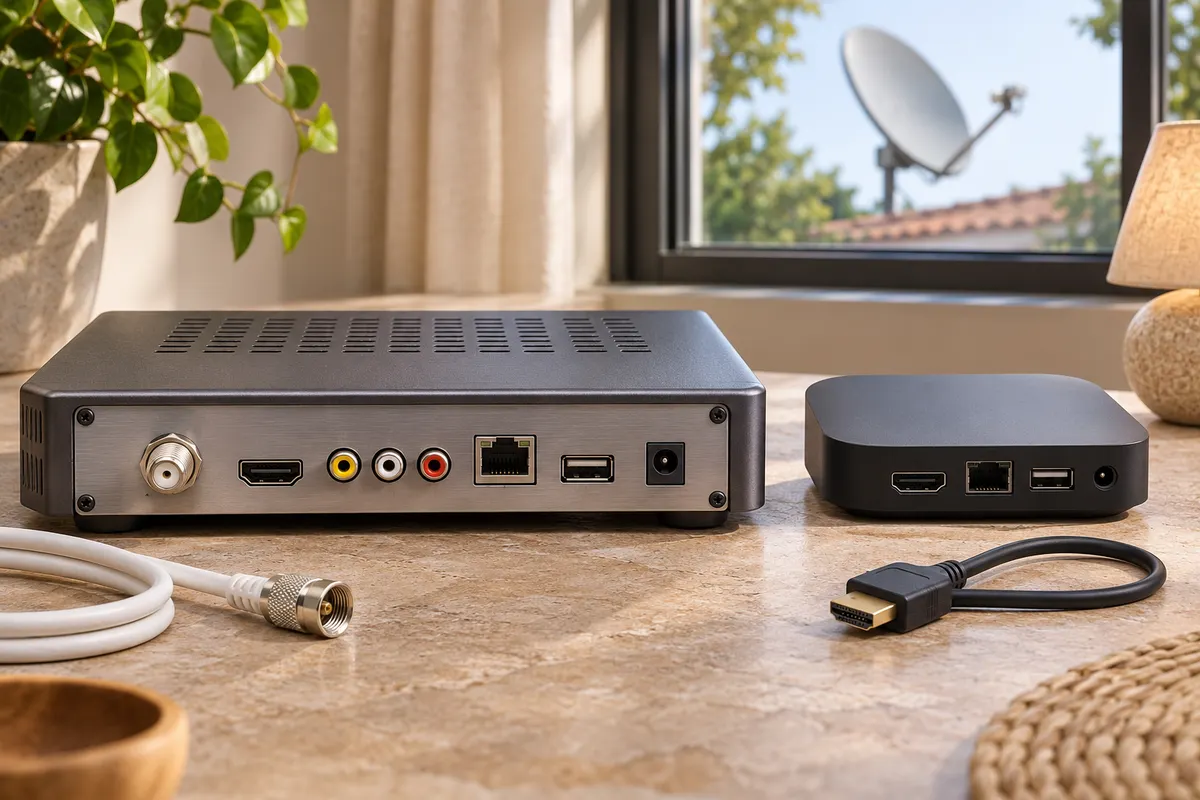
Satellite receiver vs Android TV box — which one will play the channel you want? Follow the signal to find out. If it arrives through a dish, you need a compatible satellite tuner somewhere in the setup. If you open an app and press Play, you need a device that supports that app and an internet connection. Your television may already do either job.
In this guide
Satellite receiver vs Android TV box at a glance
| Buying question | Satellite receiver | Android TV box |
|---|---|---|
| What delivers the picture? | A dish aligned to the satellite carrying your channel | An app streaming over your internet connection |
| What should I check first? | Satellite coverage, tuner and access to the channel | App availability for the exact model in your country |
| What if broadband goes down? | A conventional dish feed can keep working. Online extras may stop. | Live streams stop. Offline playback depends on the app. |
| What might I pay for? | Dish installation, receiver and any pay-TV package | Player, internet service and any paid apps |
| Could my TV already do it? | Check the manual for a compatible satellite tuner. | Open the TV’s app store and look for your service. |
Start your satellite receiver vs Android TV box comparison with a channel you watch each week. Suppose you want the evening news. The broadcaster might offer it both as a free satellite channel and as a live stream in an app. Write down which version you want. For the satellite feed, look up the broadcaster’s reception details for your region. For the stream, check where its app is available and whether it supports the exact player you are considering. A familiar channel logo on a product listing tells you little about either route.
Which cable goes where?
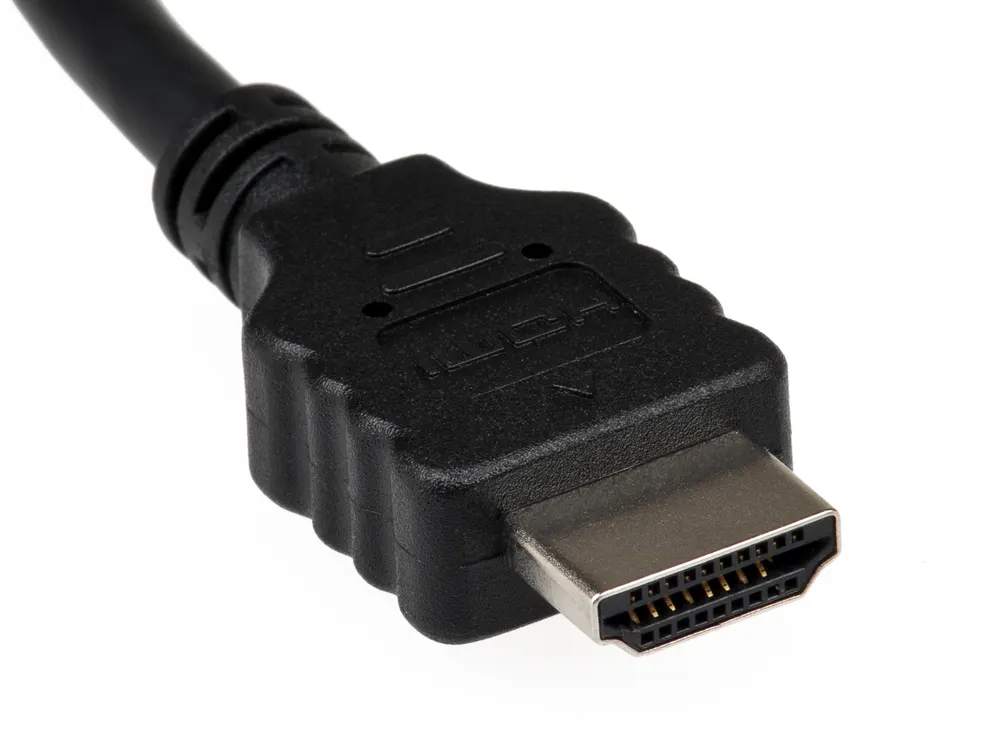
A typical external satellite setup runs from the dish to the receiver’s satellite input, often marked LNB IN or SAT IN. A second cable takes the picture from HDMI OUT on the receiver to HDMI IN on the TV. The HDMI cable carries the picture after the receiver has tuned the channel. A free HDMI socket on a streaming box will not tune a dish signal.
An Android TV box usually receives programmes over Wi-Fi or Ethernet and sends the picture to the TV over HDMI. On a product page, look for an explicit tuner specification if you also want a dish connection. Some hybrid receivers offer both functions. Check the exact model and verify each function separately.
Tuner compatibility in Europe, the US and Canada
DVB-S2 is a satellite transmission standard. DVB-T2 refers to terrestrial broadcasts received through an aerial. Both may appear in the same shop listing, especially when the seller offers several hardware variants. Match the variant in your basket to the signal at your home. You can look up the abbreviations in the DVB specifications catalogue.
Europe. Look up the channel on the broadcaster’s website for your country. Check how it reaches your address: satellite, terrestrial aerial (antenna), cable or a streaming app. For example, in the UK you can check Freeview channels by postcode before buying an aerial receiver. For satellite reception, check the broadcaster’s satellite and coverage area instead.
United States. If your goal is local channels through an antenna, enter your address in the FCC reception map. Then match the stations you want to your television’s tuner specifications. If the channels are part of a satellite subscription, ask the provider which receivers work with your plan.
Canada. If you want local over-the-air channels, check for an ATSC 1.0 tuner in the specifications. This matters when importing a receiver advertised for European terrestrial TV. Canada’s digital television rules identify ATSC 1.0 as the standard for regular terrestrial broadcasts. For a streaming box, look up the app on the service’s Canadian supported-device page.
Buying elsewhere or importing a box? Regional model numbers matter in a satellite receiver vs Android TV box comparison. Check the precise model against the channel or app you want. Keep the product listing open next to the broadcaster’s reception guide or the streaming service’s supported-device list. If either page leaves compatibility unclear, ask the seller to confirm the model in writing before ordering.
If you are looking at a foreign listing, our TV box country compatibility checklist covers power supplies, local app support and regional model numbers.
Three setups and what to buy
You already have a working dish and want free-to-air channels. Check whether your TV has a satellite input and supports the broadcaster’s format. If it does, try its satellite tuning menu first. For an external receiver, verify the satellite, local coverage and dish setup for the channels you want. A free-to-air receiver alone cannot unlock an encrypted subscription channel.
You use apps and have an older TV with HDMI. Check the streaming services’ supported-device lists before choosing your player. If your current smart TV already runs those apps reliably, try them before spending money on a box. If you need an external player, our Android TV box buying guide covers the next decision.
You want dish channels and streaming apps on one screen. If the satellite receiver already works, keep it on one HDMI input and use the TV’s apps or add a streaming player to another. Label the inputs “Satellite” and “Streaming” if your TV allows it. If you prefer a single hybrid receiver, verify the tuner and support for your must-have apps before buying.
For a fair satellite receiver vs Android TV box cost comparison, price the setup you would actually use for a year. If the dish is already installed and the channel is free to air, include only what you still need to buy. For streaming, check whether your existing internet plan and subscriptions already cover the same programme. Include an installation visit or a broadband upgrade only if your setup requires it.
Check the equipment you already own
Photograph the model labels on the TV and any existing receiver. Open the manufacturer’s manual for that exact model and region. Find the inputs diagram, then the tuner specifications. If you are replacing a pay-TV receiver, ask the provider whether it supports third-party equipment for your subscription. For apps, use the platform name shown in the TV’s product guide. Our Google TV or Android TV identification guide walks through that check.
Write down the result as one sentence: “I want [channel or app] in [country], delivered by [dish, aerial or internet], on [TV model].” That gives you a concrete specification to take to a shop and a way to rule out a box with the wrong input.
Satellite receiver vs Android TV box: FAQs
Can I plug my satellite dish into an Android TV box?
Check the connectors and the tuner listed in the manual. A streaming-only player has no way to tune the signal from a dish. A hybrid box can do so if its satellite tuner supports the broadcast you want. An HDMI adapter alone cannot add that tuner.
Satellite receiver vs Android TV box: which works better with unreliable internet?
For a channel available from your dish, a conventional satellite feed can play while broadband is down. For an app-only sports package, a dish receiver cannot supply the missing stream. Check how that specific event is delivered before changing equipment.
Will I get the same channels if I cancel my satellite package?
Make a short list of your household’s essential channels, including the exact sports or regional news feed. Check each broadcaster’s free-to-air schedule and its local streaming plans before cancelling. A channel being available as an app does not establish that every programme is included.
Can I keep both boxes on one television?
Yes, if the TV has the inputs you need. Connect each player to a separate HDMI input, then switch inputs with the TV remote. If you see “No signal,” first open the receiver’s own menu. A visible menu confirms the HDMI path is working and lets you check the dish signal from the receiver.
Join the discussion
Share your experience, ask a question or add a useful tip for other Box4TV readers.