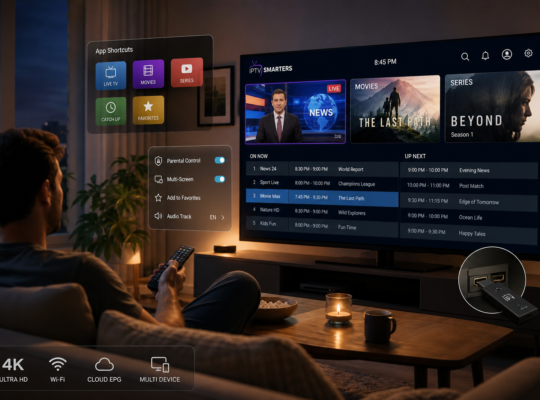

The Amazon Firestick has become a go-to streaming device for millions, offering access to countless apps and services. In 2021, IPTV Firestick solutions surged in popularity, giving users the ability to stream live TV, movies, and sports from all over the world.
Setting up IPTV on your Firestick is easier than ever, especially with M3U playlists that provide direct access to channels and content. This guide will walk you through everything you need to know about IPTV Firestick 2021, including how to install an M3U playlist and optimize your streaming experience.
What is IPTV on Firestick and Why Use It in 2021?
IPTV, or Internet Protocol Television, allows you to watch live TV channels and on-demand content over the internet. The Firestick is an ideal device for IPTV because of its affordability, portability, and compatibility with a wide range of streaming apps. In 2021, more users turned to IPTV on Firestick to cut cable costs and gain access to a global library of entertainment.
Benefits of Using IPTV on Firestick
IPTV on Firestick offers flexibility, access to international channels, and the ability to customize your viewing experience. You can watch live sports, news, movies, and TV shows without traditional cable or satellite subscriptions.
Is IPTV Legal on Firestick?
While IPTV technology is legal, it’s important to use legitimate services and respect copyright laws. Always ensure your IPTV provider is authorized to distribute the content you want to watch.
How to Install an M3U Playlist on Firestick
One of the most common questions is how to install an M3U playlist on Firestick for IPTV streaming. M3U playlists are files containing channel links, making it easy to access live TV and VOD content through compatible apps.
Step-by-Step Guide to Installing M3U on Firestick
First, download an IPTV player app such as IPTV Smarters or TiviMate from the Amazon App Store. Open the app, select ‘Add Playlist,’ and enter your M3U URL or upload the file. Once added, your channels will appear, and you can start streaming immediately.
Best Apps to Use for M3U Playlists
Popular apps for M3U playlists on Firestick include IPTV Smarters, TiviMate, and Perfect Player. These apps offer user-friendly interfaces and advanced features for organizing and watching your IPTV channels.
Optimizing Your IPTV Firestick 2021 Experience
To get the best performance from your IPTV Firestick in 2021, ensure your internet connection is stable and fast. Use an Ethernet adapter if possible and clear cache periodically to keep your device running smoothly.
Improving Streaming Quality
Adjust your app settings to select the best video quality your connection can handle. Consider using a VPN for privacy and to bypass geo-restrictions if necessary.
Troubleshooting Common IPTV Firestick Issues
Even with the best setup, you might encounter issues such as buffering, app crashes, or missing channels. These problems are usually easy to fix with a few simple steps.
Fixing Buffering and Playback Errors
Check your internet speed, restart your Firestick, and clear the app cache. If issues persist, try switching to a wired connection or using a different IPTV app to see if the problem continues.
Updating M3U Playlists
IPTV providers often update their M3U playlists. Make sure you have the latest URL or file, and reload it in your player app to restore missing channels.
Choosing the Best IPTV Service for Firestick in 2021
With so many IPTV providers available, it’s important to choose a reliable service with good customer support and a wide channel selection. Look for providers that offer trial periods so you can test the quality before committing.
What to Look for in an IPTV Provider
Consider channel variety, streaming quality, customer service, and compatibility with your Firestick. Reading user reviews and checking for active support channels can help you make an informed decision.
FAQ
How do I install an M3U playlist on Firestick for IPTV?
To install an M3U playlist, download an IPTV app like IPTV Smarters, open it, and add your M3U URL or file under the playlist section. Your channels will then be available for streaming.
What is the best IPTV app for Firestick in 2021?
Popular IPTV apps for Firestick in 2021 include IPTV Smarters, TiviMate, and Perfect Player, all compatible with M3U playlists and offering user-friendly interfaces.
Why is my IPTV buffering on Firestick?
Buffering is often caused by slow internet speeds or network congestion. Try restarting your Firestick, using a wired connection, or lowering the video quality in your IPTV app.
Are M3U playlists legal to use on Firestick?
M3U playlists themselves are legal, but you should only use playlists from authorized IPTV providers to avoid copyright infringement.
Can I use a VPN with IPTV on Firestick?
Yes, using a VPN with IPTV on Firestick can enhance your privacy and help you access geo-restricted content. Choose a reputable VPN provider for the best results.
How do I update my M3U playlist on Firestick?
To update your M3U playlist, obtain the latest M3U URL or file from your provider and reload it in your IPTV app. This ensures you have access to the newest channels.
What internet speed is required for smooth IPTV streaming on Firestick?
A minimum speed of 10 Mbps is recommended for smooth IPTV streaming. Higher speeds are preferable for HD or 4K content.
IPTV Firestick 2021 offers a powerful way to enjoy live TV and on-demand content without the limitations of traditional cable. By installing M3U playlists and optimizing your setup, you can unlock a world of entertainment on your Firestick. Start exploring IPTV today and experience the future of streaming at your fingertips!