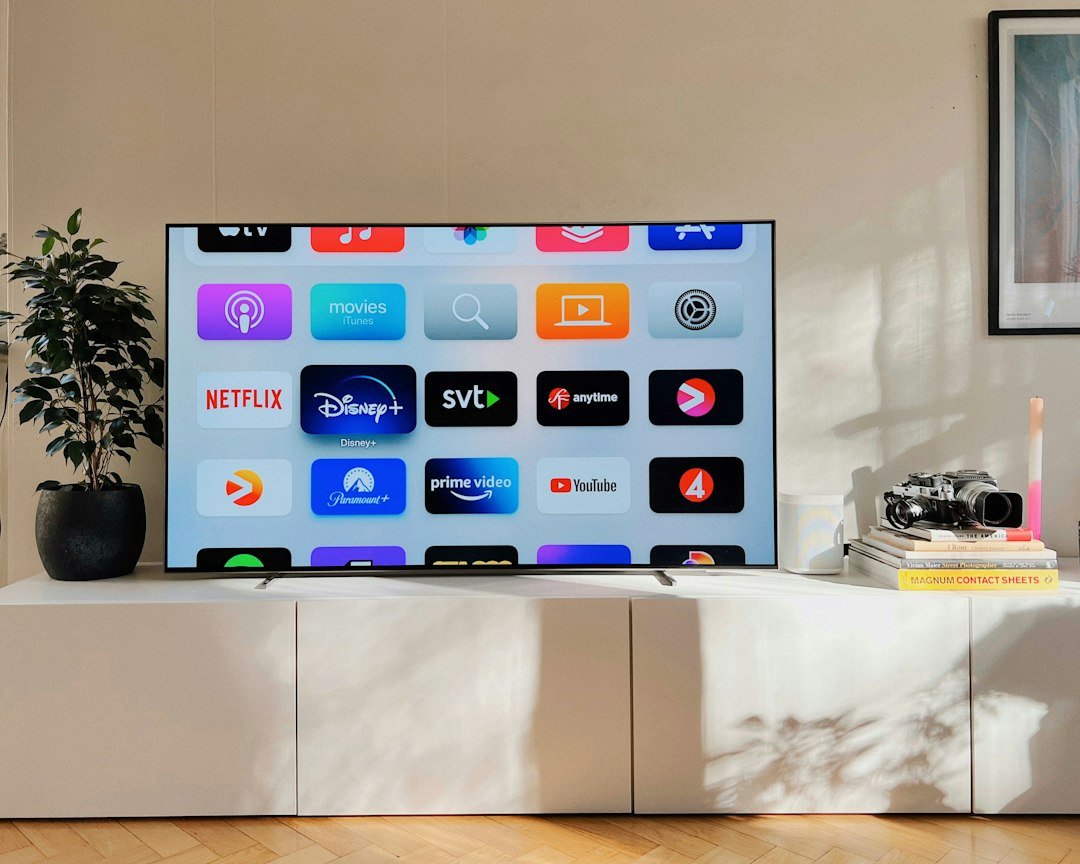
If you are shopping for a new streaming device in 2026, you will probably see both Google TV devices and Android TV boxes. The names sound similar, but the experience can differ depending on the hardware, interface, software support, and certifications.
This guide explains the practical differences between Google TV and Android TV boxes, what to check before buying, and which type of device makes sense for different streaming needs.
Google TV vs Android TV: the short answer
Google TV and Android TV are closely related platforms. Google explains that both provide access to apps and entertainment, while Google TV puts stronger emphasis on content discovery, recommendations, watchlists, and an interface that brings content from compatible services together.
The bigger buying decision is often not the name of the interface, but the quality and certification of the actual streaming device. Two boxes using Android-based software can have very different processors, memory, update policies, Wi-Fi performance, and support for premium streaming services.
What is Google TV?
Google TV is Google’s entertainment-focused TV experience. Its home screen is designed around recommendations and content discovery rather than simply presenting a grid of installed apps. Depending on your country and device, the interface can include sections for apps, a library, movies, shows, live content, and personalized recommendations.
Google TV is available on compatible smart TVs and dedicated streaming devices. Google notes that a streaming device generally requires an HDMI-equipped television, internet access, power, and a Google Account for the full experience.
What is an Android TV box?
An Android TV box is a compact device that connects to a television, usually through HDMI, and adds streaming apps and smart-TV features. Certified Android TV devices can provide Google Play apps, search, casting features, recommendations, and other TV-optimized functions.
Be careful with generic products advertised simply as an “Android box.” Some use a tablet-style version of Android rather than the official TV platform. That can affect remote-control navigation, app compatibility, DRM support, updates, and streaming resolution.
Google TV vs Android TV Box: key differences
| Feature | Google TV device | Android TV box |
|---|---|---|
| Interface | Content-first, personalized experience | Varies by device and Android TV version |
| Apps | Google Play on compatible devices | Google Play on certified Android TV devices |
| Recommendations | Central part of the experience | Available, but presentation can differ |
| Hardware | Varies by manufacturer | Ranges from entry-level to powerful boxes |
| Updates | Depends on device manufacturer | Can vary significantly by manufacturer |
| Best for | Easy content discovery and mainstream streaming | Buyers who compare hardware and flexibility carefully |
1. Interface and ease of use
Google TV is particularly useful if you subscribe to several compatible streaming platforms. Instead of opening every app separately to look for something to watch, the home interface can surface recommendations and help organize content in one place.
Android TV can also be simple to use, but the experience varies more across devices. A well-supported certified box may feel polished, while a low-cost generic box may ship with a heavily modified launcher or an interface designed for touchscreens rather than a TV remote.
2. Streaming apps and compatibility
For Netflix, YouTube, Prime Video, Disney+ and similar services, do not assume that every Android-based box offers the same playback quality. Check the manufacturer’s official specifications and the streaming services supported by the exact model.
If mainstream streaming is your priority, certification and official app support should usually matter more than impressive-looking specifications on a product listing.
3. 4K, HDR and audio support
A 4K label alone does not guarantee a premium viewing experience. Before buying, check whether the device and your television support the formats you actually use, such as HDR standards and advanced audio formats. Your streaming service and subscription tier must also support the desired quality.
4. Performance and storage
Processor performance, RAM, available storage, Wi-Fi quality, and thermal management influence how responsive a TV box feels. Faster hardware can reduce menu lag and make switching between apps smoother.
Storage becomes important if you install many apps or games. If you only use a handful of streaming services, software quality and reliable updates may be more valuable than chasing the largest specification numbers.
5. Updates and security
Software support is easy to overlook when comparing TV boxes. Prefer established manufacturers that clearly document their products and provide system updates. Google also provides Play Protect and security-related features on supported Android TV devices, but manufacturer support still matters.
What should you check before buying a TV box?
- Official certification: verify that the device uses the intended TV platform and supports your streaming apps.
- Resolution: choose 4K if you own a 4K TV and watch 4K content.
- HDR and audio: match supported formats with your TV or sound system.
- Connectivity: look at Wi-Fi capabilities and Ethernet availability if wired networking matters to you.
- Storage: consider how many apps and games you plan to install.
- Updates: prefer manufacturers with a credible software-support history.
- Remote: voice search, button layout, and responsiveness affect everyday use.
Who should choose Google TV?
A Google TV device is a strong fit for viewers who want a simple, polished interface and frequently move between several legitimate streaming apps. Its recommendation-focused design can make finding movies and shows easier, especially in households that want one central entertainment screen.
Who should choose an Android TV box?
A certified Android TV box can be a good option when you want to compare hardware features, ports, storage, connectivity, or price. The key is to evaluate the exact model rather than buying based only on the word “Android.”
Google TV vs Android TV for IPTV apps
Both platforms can run compatible media-player and live-TV applications available for the device. App availability varies by region and hardware. Always use streaming services and playlists you are legally authorized to access.
Frequently asked questions
Is Google TV replacing Android TV?
Google TV and Android TV remain closely connected. From a buyer’s perspective, focus on the interface offered by the device, app compatibility, hardware quality, and manufacturer support rather than the branding alone.
Can Google TV install apps?
Yes. Compatible Google TV devices provide access to apps through Google Play. Availability can vary by device and country.
Do I need a new television to use Google TV?
No. Google states that a compatible Google TV streaming device can upgrade an existing television with an HDMI port, provided the other device requirements are met.
Is every Android TV box good for Netflix and 4K streaming?
No. Support and playback quality vary by model, certification, DRM capabilities, and app. Check the exact device’s official compatibility before purchasing.
Final thoughts
The Google TV vs Android TV Box decision is less about choosing one name over the other and more about choosing a reliable device. Google TV emphasizes discovery and personalization, while the Android TV box market gives buyers a broad range of hardware choices.
For your next purchase, prioritize official app compatibility, 4K and HDR support, networking, update history, and overall hardware quality. Those factors will have a much bigger impact on everyday streaming than specifications that look impressive on paper.
1 comment
Share your experience, ask a question or add a useful tip for other Box4TV readers.