An Android TV box can turn almost any HDMI-equipped television into a flexible streaming setup, but not every box delivers the same experience. If you are shopping for a TV box for IPTV apps, Netflix, YouTube and other legal streaming services, the most important features are not always the biggest numbers printed on the product page.
This guide explains what to check before buying an Android TV box in 2026, with a focus on app compatibility, 4K playback, network stability and everyday usability.
1. Start with Android TV or Google TV certification
Prefer a device that runs an official Android TV or Google TV platform and provides normal access to the Google Play Store. Google’s Android TV documentation explains how apps and content work across Android TV and Google TV.
Certification matters because cheap generic Android boxes can use modified software or phone-oriented Android builds. That can create problems with TV interfaces, remotes, updates and protected streaming apps.
2. Check the streaming apps you actually use
Do not assume that every Android-based TV box supports every service at its best quality. Check the manufacturer and the streaming provider before buying. Netflix, for example, maintains device-specific support information, and unsupported Android-based streaming devices may not be able to install the Netflix app normally from Google Play.
If Netflix is important to you, our Netflix streaming quality guide explains the other requirements for high-quality playback.
3. IPTV apps are not the same as an IPTV service
An Android TV box can run media-player and live-TV apps available for the platform. The box itself does not provide television channels. What you can legally watch depends on the app, provider, subscription and content rights in your region.
For the safest experience, install reputable apps from trusted stores and use services you are authorized to access. Google Play Protect checks apps for potentially harmful behavior and can warn about or remove harmful software.
4. For 4K, look beyond the 4K label
A box advertised as 4K still needs the right combination of hardware, software certification, HDMI support, television and streaming-service compatibility. HDR support can also vary between devices and services.
For example, Netflix states that supported 4K streaming devices require compatible equipment and a suitable plan and connection. In other words, a 4K logo on the packaging does not guarantee that every streaming app will play in 4K.
5. RAM and storage affect everyday usability
More memory can help when navigating heavier interfaces and switching between apps, while additional storage gives you more room for applications and updates. Specifications should still be considered alongside software quality: a well-supported certified device can provide a better experience than a generic box with impressive-looking numbers.
If you want specific hardware options, see our best Android TV boxes in 2026.
6. Wi-Fi quality can matter more than processor benchmarks
Streaming depends heavily on a stable network. Dual-band Wi-Fi is useful, and newer Wi-Fi standards can help on compatible networks. Router placement, interference and the quality of the box’s wireless hardware also matter.
If your entertainment area has Ethernet available, a box with an Ethernet port can provide a more consistent connection. If you already experience playback problems, try our Android TV buffering fixes before replacing your device.
7. Ethernet and ports make a TV box more flexible
One advantage of a full-size Android TV box over a small streaming stick can be connectivity. Depending on the model, you may find Ethernet, USB ports, expandable storage or additional audio options. Think about what you will genuinely connect rather than paying for ports you will never use.
Our Android TV Box vs Fire TV Stick comparison explains the practical differences between these two formats.
8. Do not ignore updates and security
A streaming box is an internet-connected computer attached to your television. Software updates, security patches and a reputable manufacturer therefore matter. Avoid boxes that arrive with unknown preinstalled apps, modified stores or promises of unauthorized premium content.
9. Remote control and interface matter every day
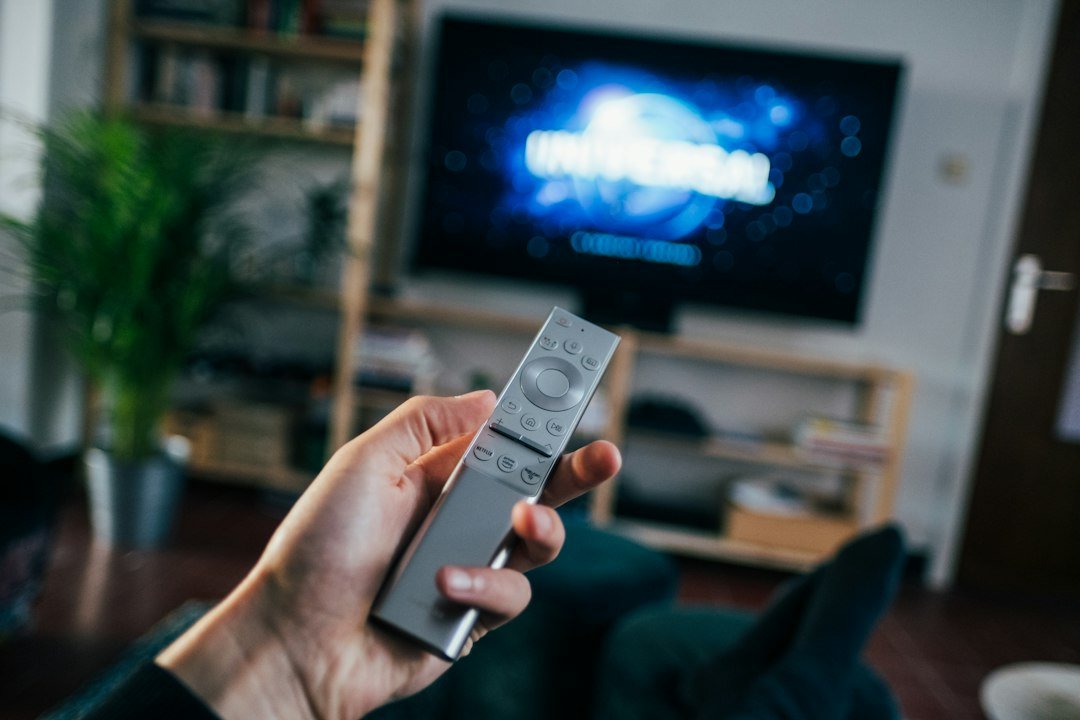
Specifications are easy to compare, but you will interact with the remote and home screen every time you watch TV. Look for responsive navigation, useful shortcut buttons and voice control if those features matter to you.
If you are new to the platform, our Android TV box setup guide walks through installation and first-time configuration.
10. Quick buying checklist
- Official Android TV or Google TV platform
- Support for the streaming apps you use
- Verified 4K/HDR compatibility where required
- Enough RAM and storage for your usage
- Reliable dual-band Wi-Fi
- Ethernet if you prefer wired streaming
- Useful USB or storage expansion if needed
- Regular software updates
- A practical remote and TV-friendly interface
Android TV box for IPTV and streaming: what should you buy?
Choose the box around your actual services and television rather than searching for the highest specification sheet. For most households, reliable app compatibility, certification, stable networking and software support are more valuable than exaggerated hardware claims.
If you are still deciding between platforms, read our Android TV vs Google TV guide and our best streaming devices comparison.
Frequently asked questions
Can an Android TV box run IPTV apps?
Android TV and Google TV devices can run compatible TV and media apps available for their platform. Access to channels or programs depends on the provider and your authorization to view that content.
Do all Android TV boxes support Netflix in 4K?
No. Netflix support and maximum playback quality vary by device. Check Netflix and the device manufacturer for the specific model before buying.
Is Ethernet necessary for a TV box?
No, but it can be useful when Wi-Fi is congested or weak. A good Wi-Fi connection is sufficient for many households.
Is more RAM always better?
More RAM can help multitasking, but software optimization, certification, processor performance and manufacturer support also affect the overall experience.

Join the discussion
Share your experience, ask a question or add a useful tip for other Box4TV readers.